Add a Team
There’s no ‘I’ in Team
What you’ll need
If creating a private team, you’ll need a Certificate
How to do it
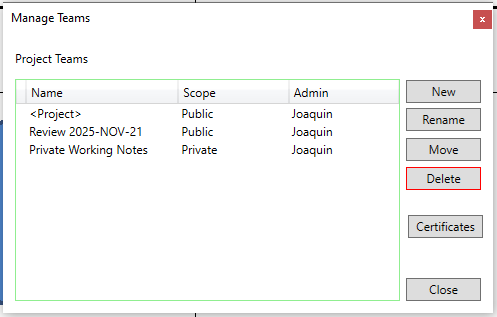
- Run the Manage Teams command
- Click the New button
- Select the team scope: Public or Private. If selecting private, make sure to select the appopriate Certificate.
- Enter the team name
- Click Ok
What’s next
- You can create many teams with a single Certificate. Your BIM Manager can issue a company wide Certificate to be used on all projects.
- You can Export the Certificate and send them to anyone you’d like to share your private teams with.
- You can Import certificates to view other people’s private teams.